Fiscal Calendar
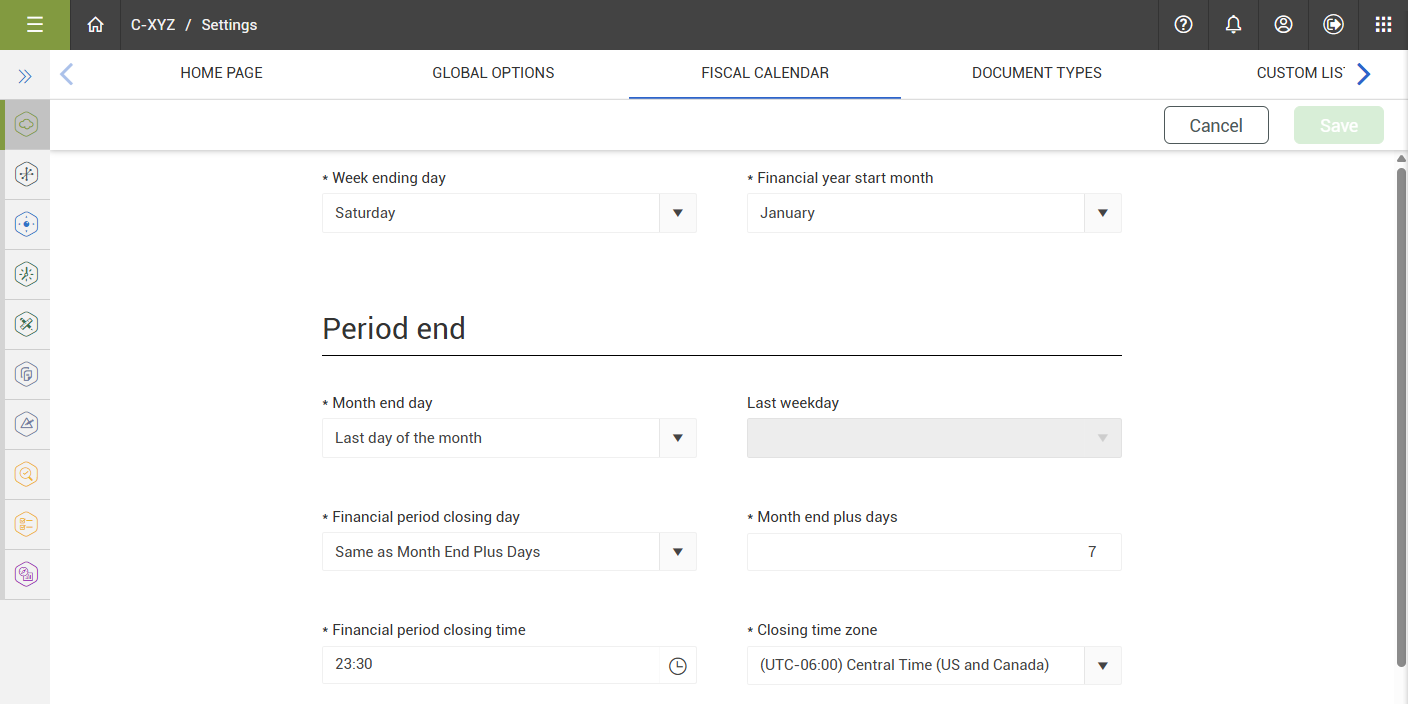
Control has built-in settings that automatically set the actuals in the forecasting-related data blocks to match your company’s month end calendar.
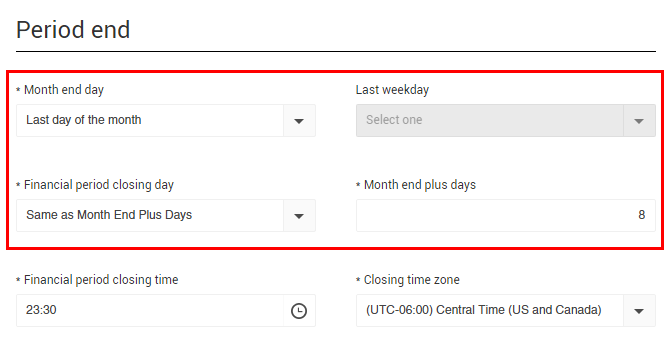
The fiscal calendar settings include a suspended period for you to finalize your forecast numbers without incurring any new actuals.
During the suspended period, your numbers are frozen, allowing you to finish month end reporting without worrying about the numbers changing. Any new actuals accumulated during the suspended period will populate once the suspended period is over.
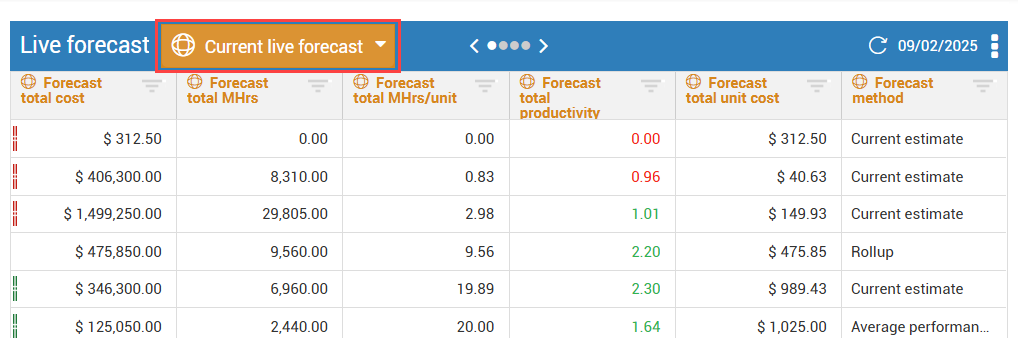
The Live forecast data block contains a Current live forecast label in its header. The Current live forecast label reminds you that the values in the Live forecast data block are only for the current period, as defined in the organization settings.
Fiscal calendar settings are configured in your organization settings. See the following table for details on fiscal calendar options.
|
Field Name
|
Purpose
|
|
Week ending day
|
Determines which day of the week is the final day.
|
|
Financial year start month
|
Allows the financial year-end to be different from the calendar year-end.
|
|
Month end day
|
Determines what the final day of the month is.
|
| Last weekday |
Sets the day for the above setting. |
| Financial period closing day |
Allows you to set the financial period to end on the same day or allow a period to close out the finances. |
| Month end plus days |
Sets the number of closing days. |
| Financial period closing time |
Sets the time when the forecast actuals will be reset to the next period. |
| Closing time zone |
Sets the closing time zone. |
| Project fiscal calendar settings |
Enable this setting to allow different fiscal calendar settings at the project level. |